Citrix environments can be highly complex with multiple back-end components like Storefront, Netscalers, Delivery Controllers, FAS, License servers, Cloud Connectors, and databases. And the front end can be equally complex with VDA’s running in different parts of the world and the cloud and on-premises hybrid. With all this complexity, it’s essential to have the correct troubleshooting, monitoring, and self-healing automation tools. This blog will look at the Goliath Technologies monitoring tools to help quick troubleshooting, monitoring, and self-healing automation.
The slogan of Citrix is, of course, to work everywhere and from any device. This made Citrix solutions a great match during the pandemic. People could stay safe and work from home without missing a beat. Now that the pandemic is mostly over, most people still want to work (part-time) from home. This is still possible, but we see one issue often coming back to the IT helpdesk; this issue is, of course, latency. When users experience latency issues, their session feels sluggish, they type words in the Citrix session, and the letters appear delayed on the screen. Dragging and dropping in the session do not work well due to the delay. This comes because, unlike in the office, the IT department does not control the internet connection in the end-user’s home. So, the quality of this connection is up to the end user. You can imagine if an end user is working from home in the attic on the Wi-Fi while the kids at home are streaming online video games and watching Netflix, the situation is not ideal.
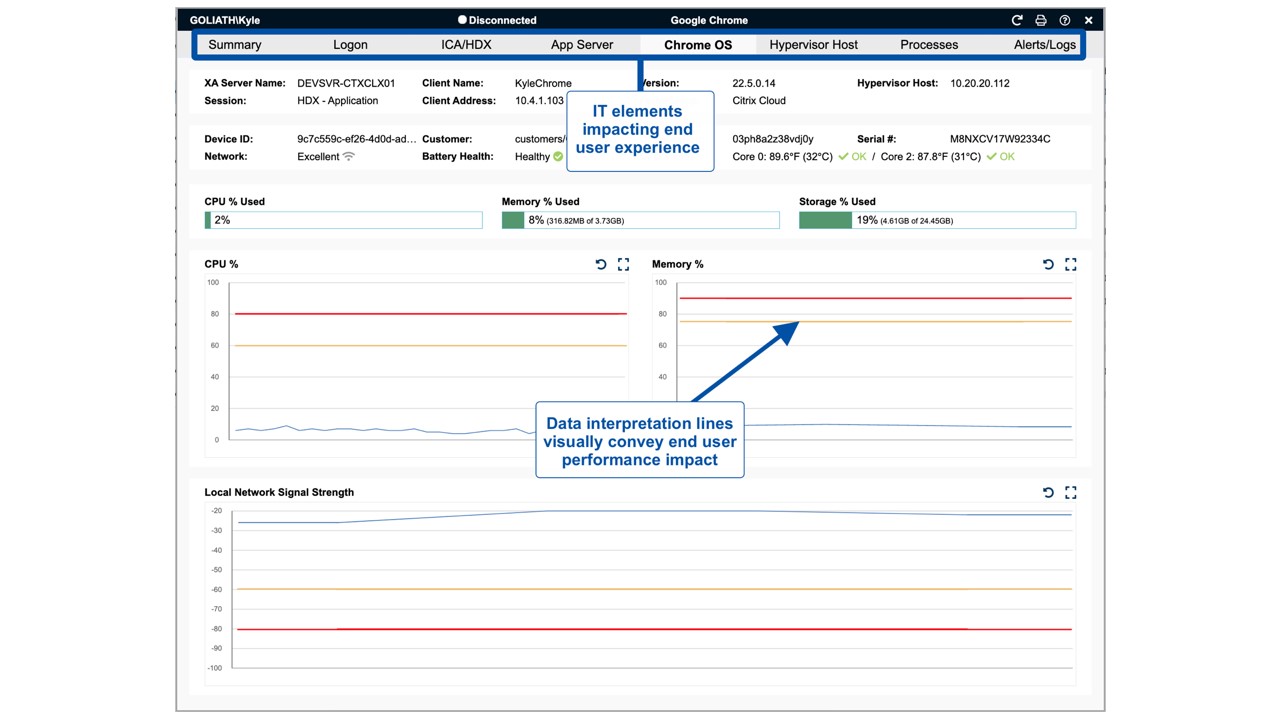
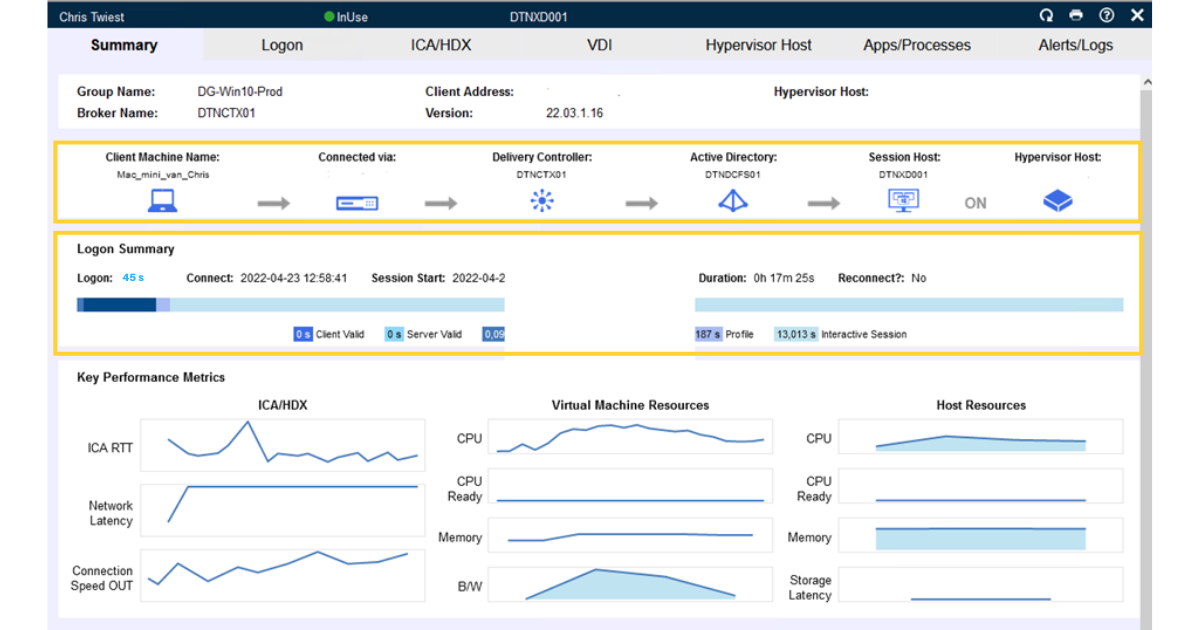
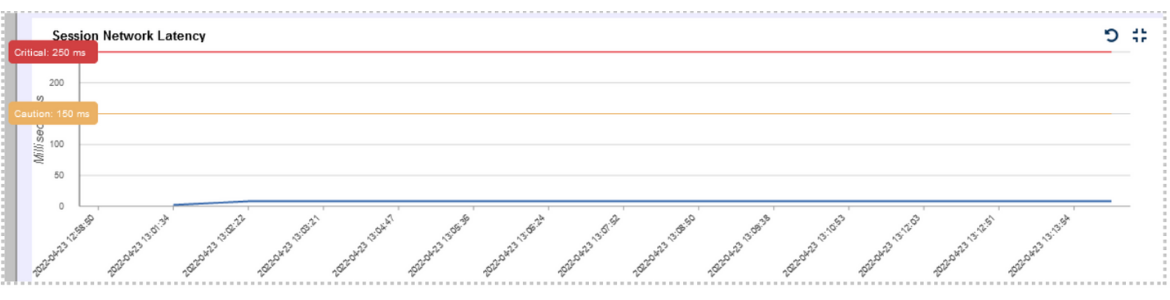
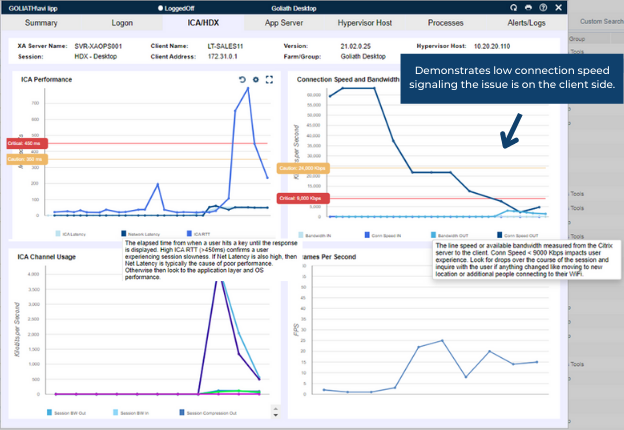
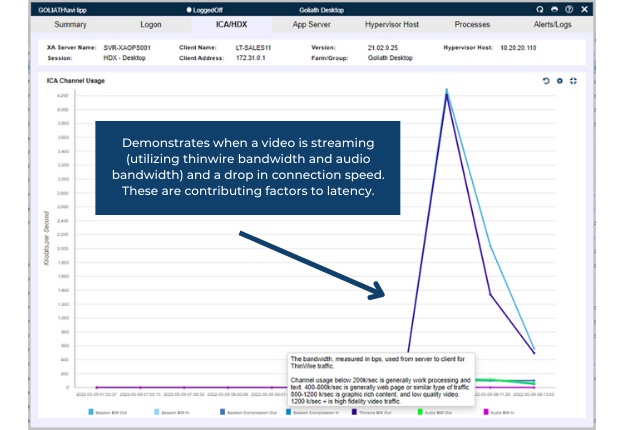
The problem might sometimes be hard to diagnose for IT when end users say their session is sluggish, slow, and unresponsive. The problem can also be the performance on the VDA or a bottleneck in the internal network. How can we quickly troubleshoot this issue? With Goliath, we can view the network connection of the end user. If we click on a user session, we can immediately see a session summary that includes the user’s path to connecting with the session, logon time, and key performance metrics, as seen below.








Recent Comments