

User Story: DaaS Provider Reduces Support Tickets by 50% with Goliath and Selects Goliath for Expansion into Azure-Hosted Desktops as a Service
The Organization: Large Desktop as a Service (DaaS) Provider with Over 1,000 customers
The Organization’s Infrastructure: VMware vSphere, Citrix XenDesktop, Microsoft Azure
The Organization’s Performance Monitoring Products: Goliath for Monitoring Azure & XenDesktop
The Business Challenge: Transition to Microsoft Azure Hosted Desktops and Still Meet SLA’s
This desktop as a service provider (or DaaS provider) has delivered DaaS desktops to users via Citrix XenDesktop from their local data center for several years. They selected Goliath several years ago for their on-premises data center and in doing so reduced support tickets by 50%. Now, the business is growing, and with the influx of new VDI customers, they need to expand into the public cloud and they selected Microsoft Azure.
Procuring and provisioning datacenter resources was slow and not able to keep pace with growth. As a result, a strategic decision was made to deliver desktops from the cloud or DaaS by going to Microsoft Azure-hosted DaaS as a platform. One of the challenges was that this change to their DaaS architecture would not happen overnight and a hybrid approach including Microsoft Azure and the on-premises environment was necessary for the foreseeable future.
The new Citrix DaaS hybrid model presented visibility challenges, specifically due to the distributed nature of the infrastructure. An Azure-hosted Citrix DaaS monitoring technology was required that would allow them to manage the DaaS hosted on-premises and the new cloud-hosted Citrix desktop workloads differently. Understanding DaaS desktop resource utilization was necessary on premises to ensure performance was optimal.
On the topic of cloud desktops, resource monitoring needed to be focused on consumption, ensuring that the deployment was consistently “tuned” so Azure-hosted Citrix DaaS monitoring could stay cost-effective. Furthermore, it was critical to have deep visibility into XenDesktop and XenApp at the virtual session level to ensure that DaaS end-user experience was not impacted in any way, regardless of where the workloads lived (cloud desktops or on premises). Finally, the Azure-hosted Citrix DaaS monitoring solution needed to be scalable and dynamic, as workloads would be shifting from on premises to the cloud gradually.
The Solution: Hybrid Azure Citrix DaaS Monitoring to Manage and Troubleshoot Cloud-Based Workloads
Fortunately for the Citrix DaaS provider, the on premises and cloud monitoring solution that they needed was already in place. Over a year ago, the company selected Goliath Performance Monitor and the Goliath Application Availability Monitor for monitoring Citrix XenApp and the other aspects of their DaaS architecture.
The solution proved to be a robust technology that was a perfect fit for its multi-tenant infrastructure. Trouble tickets have been reduced by 50% in the past year, quantifying the value of the technology. One of the key attributes of the technology that allows for DaaS architecture and delivery infrastructure troubleshooting and root cause identification is the Automatic Citrix Discovery and Dependency Map which enables IT to see the entire infrastructure at a 50,000 FT view (see image below) and then, when alerted, drill down into the layers of the Citrix infrastructure to identify root cause — even to an individual user’s session.

As a result of the success they had with Goliath, combined with the flexible dynamic nature of the platform, this desktop as a service provider felt that it would be the perfect fit for their hybrid Citrix DaaS cloud initiative which meant extending the product to monitor Azure DaaS availability and performance. As shown below, Goliath Performance Monitor allows you to manage your entire infrastructure, regardless of platform or location.

Real-Time Alerting on Resource Consumption for Microsoft Azure
When hosting workloads in the cloud, priorities are different. An example of this is resource utilization. When resources are on premises, we want to make sure that they not constrained which would result in poor end-user experience. There are also physical limitations on the availability of resources and the business needs to know in advance when a capital investment needs to be made.
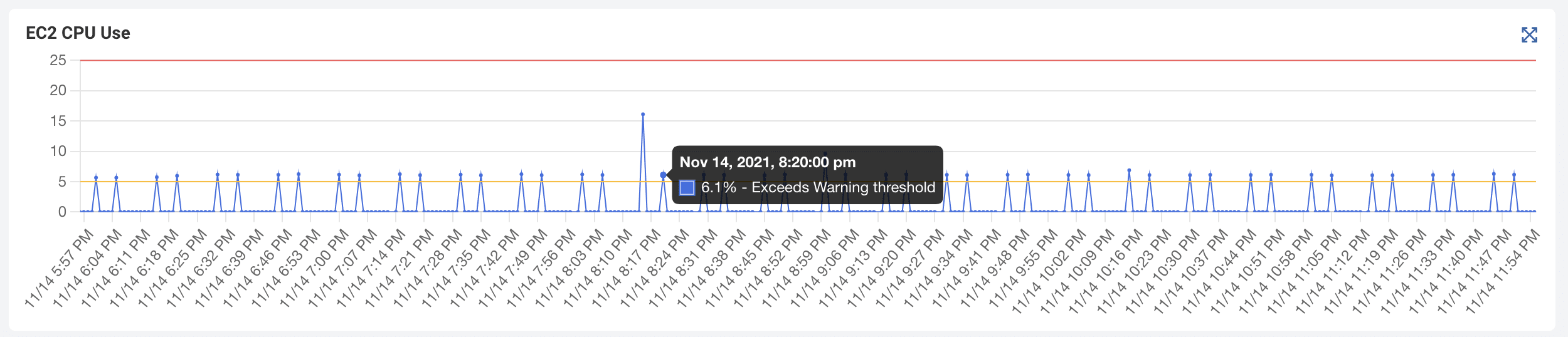
However, in the cloud, managing resource utilization is more about consumption and managing costs. This is because resources are almost unlimited but are paid for based on usage. Goliath for Azure monitoring allowed the DaaS provider to dynamically assign policies to workload based on location and use case in a single click. This means they can assign rules based on need, as resources are relocated from the datacenter to the cloud. An example of this is below.

Managing Dynamic Workloads Out-Of-The-Box
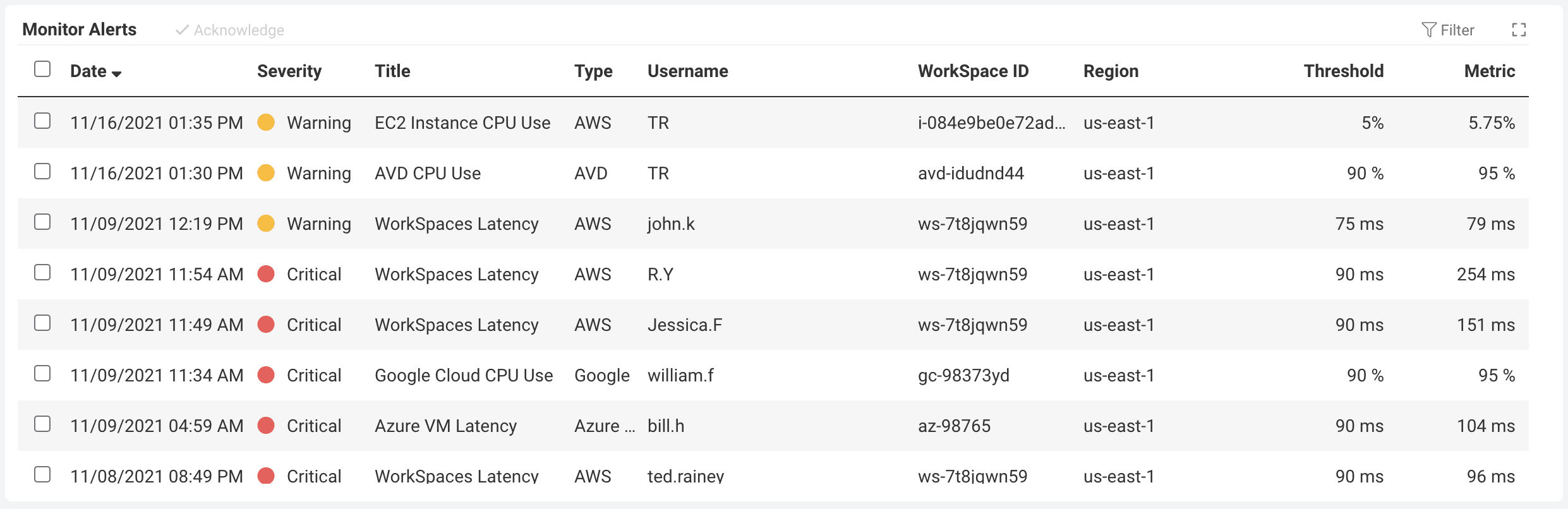
Another requirement for the service provider was that the Azure monitoring solution needed to provide a fast time-to-value. Their timeline to move to Azure was aggressive and the need to have visibility was immediate. Goliath delivered by having inbuilt out-of-the-box rules and capabilities for supporting and monitoring Microsoft Azure workloads as showing in the image below.
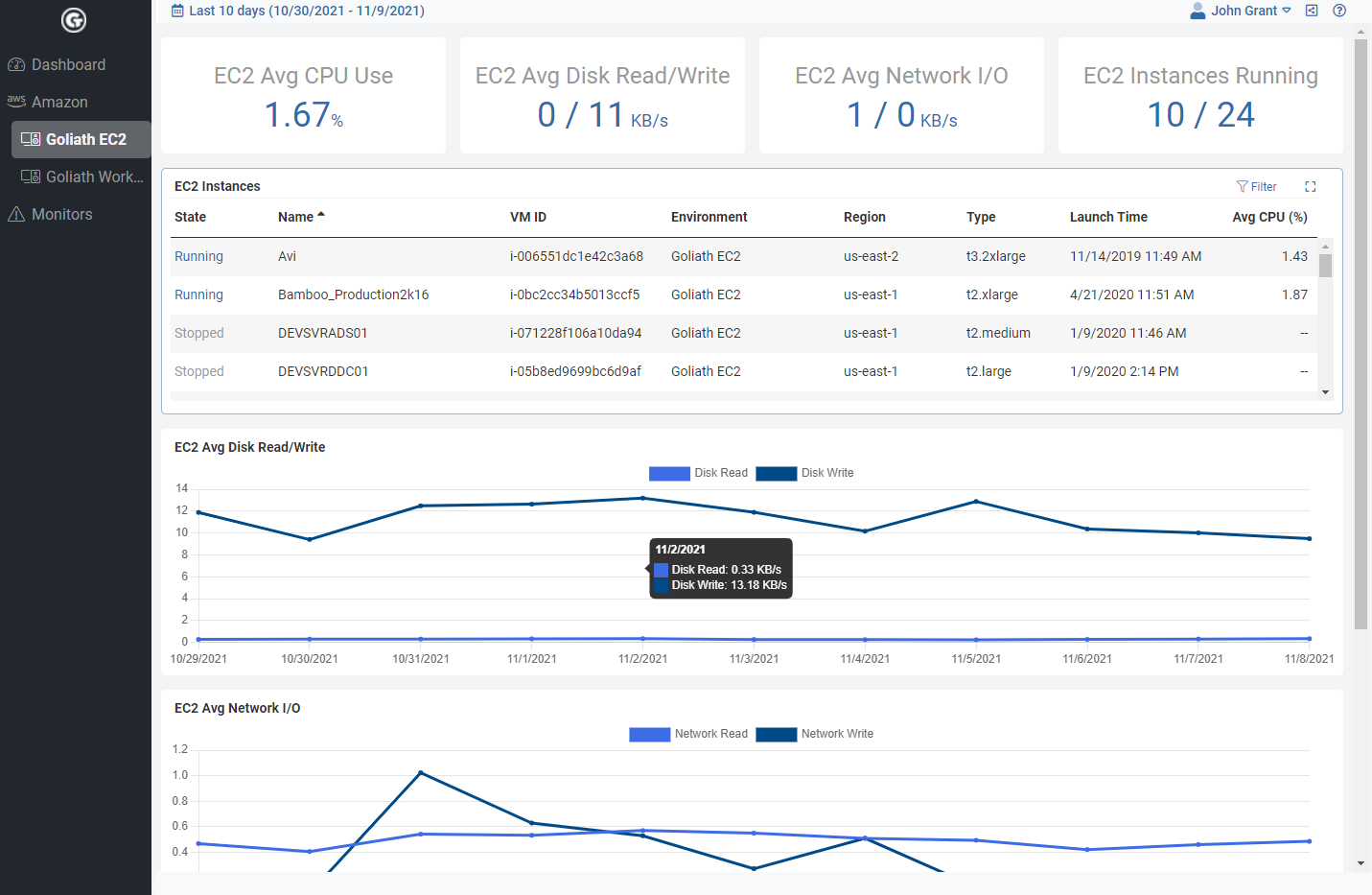
These out of the box dashboards allowed them to see the performance of workloads at a glance. Goliath Azure cloud desktop performance graphs and dashboards allowed them to do that on multiple levels, ranging from their DaaS desktops up through their Azure infrastructure.
This also allowed them to see, if an issue did sneak up on them throughout the gradual process of on-premises to cloud deployment transitioning, where the issue may have been sourced. They could make active correlations between end-user performance (with singularly located alerts, reports and dashboards that provide direct end-user session metrics) and data being pulled by the Goliath Performance Monitor’s complete visibility of the key performance indicators existing at a utilization level for Microsoft Azure.

Summary: Goliath Technologies Microsoft Azure Monitoring and Microsoft Azure Troubleshooting for Hybrid Hosted DaaS and On-Premises Citrix Environment
Goliath’s Azure Monitoring allowed the DaaS provider to migrate resources to Microsoft Azure while dynamically implementing policies to cloud-based workloads instantly. In addition, they continued to have complete visibility into the entire hybrid cloud and Citrix XenDesktop infrastructure. Goliath gave them the ability to anticipate, troubleshoot, resolve and ultimately prevent end-user experience issues in the cloud, on premises and end-user experience.
Moving to Azure or Amazon AWS? Talking to us about our software might provide a seamless transition for you and your end users!
Recent Comments