Maintaining a Healthy VDI and Virtualization Environment

Maintaining a Healthy VDI and Virtualization Environment

Three Secrets to Maintaining a Proactively Healthy VDI and Virtualization Environment

Maintain Your Visual Infrastructure

I’ve had the chance to work in the cloud, virtualization, and application delivery industry for quite some time. The most amazing thing I’ve seen has been the evolution around delivery technologies specifically aimed at improving user experience and performance. Still, with varying operating systems, evolving desktop environments, and the constant challenges around applications – there’s still one major challenge when it comes to these ecosystems. Specifically, I’m constantly finding administrators battle the challenges around complexity.

Director vs Goliath TroubleshootingTime and time again I’m seeing administrators reactively trying to support growing VDI and application environments. And, even with more initiatives around things like DaaS and cloud, I’m still seeing a lot of great use-cases in leveraging on-premise application and desktop delivery. A recent report from ResearchAndMarkets.com indicates that the global Virtual Desktop Infrastructure (VDI) market is expected to have a CAGR of 27% during the forecast period 2016-2023.

The key factors driving the market growth are increased adoption of BYOD, increasing demand of workplace flexibility and increasing adoptability of cloud technology in several end-user segments. However, the lack of training, education, and enhanced administrative capabilities around the virtual desktop infrastructure are restraining the market growth.

Whether you’re working with Citrix XenApp/XenDesktop or VMware Horizon solutions, your main goal should be planting seeds for the business; and not constantly trying to put out fires. I’ve worked with numerous organizations of all sizes that and I’ve had the chance to see just how reactive a lot of support operations can be. Even with native tools, we often forget that even real-time issue resolution can lead to slow downs. With that in mind, I want to share a few virtualization secrets with you. The goal here is to introduce a few new VMware monitoring tools and practices to help you proactively resolve issues before they even become even bigger problems.

I’ve had the chance to poke around a powerful tool recently that helps make managing a virtualization environment much easier. Specifically, the Goliath Application Availability Monitoring (GAAM) tool directly integrates with your ecosystem to proactively monitor the availability of Citrix XenApp, Citrix XenDesktop, VMware Horizon View, Microsoft RDS, and more. Here’s the cool part, this isn’t just monitoring availability, rather it allows you to automatically test the entire deliver infrastructure. If you have a sprawling Citrix platform, it’s like having a Citrix Admin at all of your end points logging in and testing everything.

Leveraging GAAM, here are a few tips and tricks to improve your VDI and Virtualization Environment.

1.) Become aware of logon failures or even slowness with better than real-time advanced warnings.

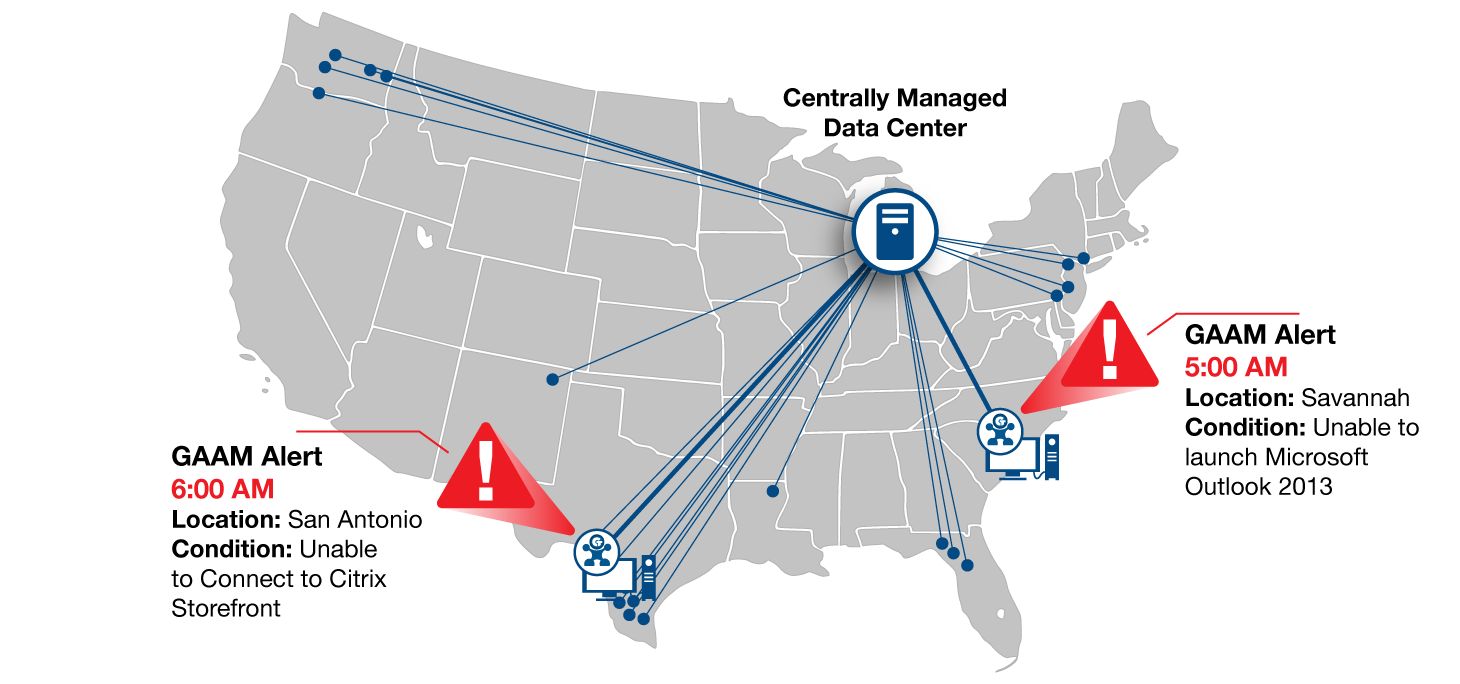
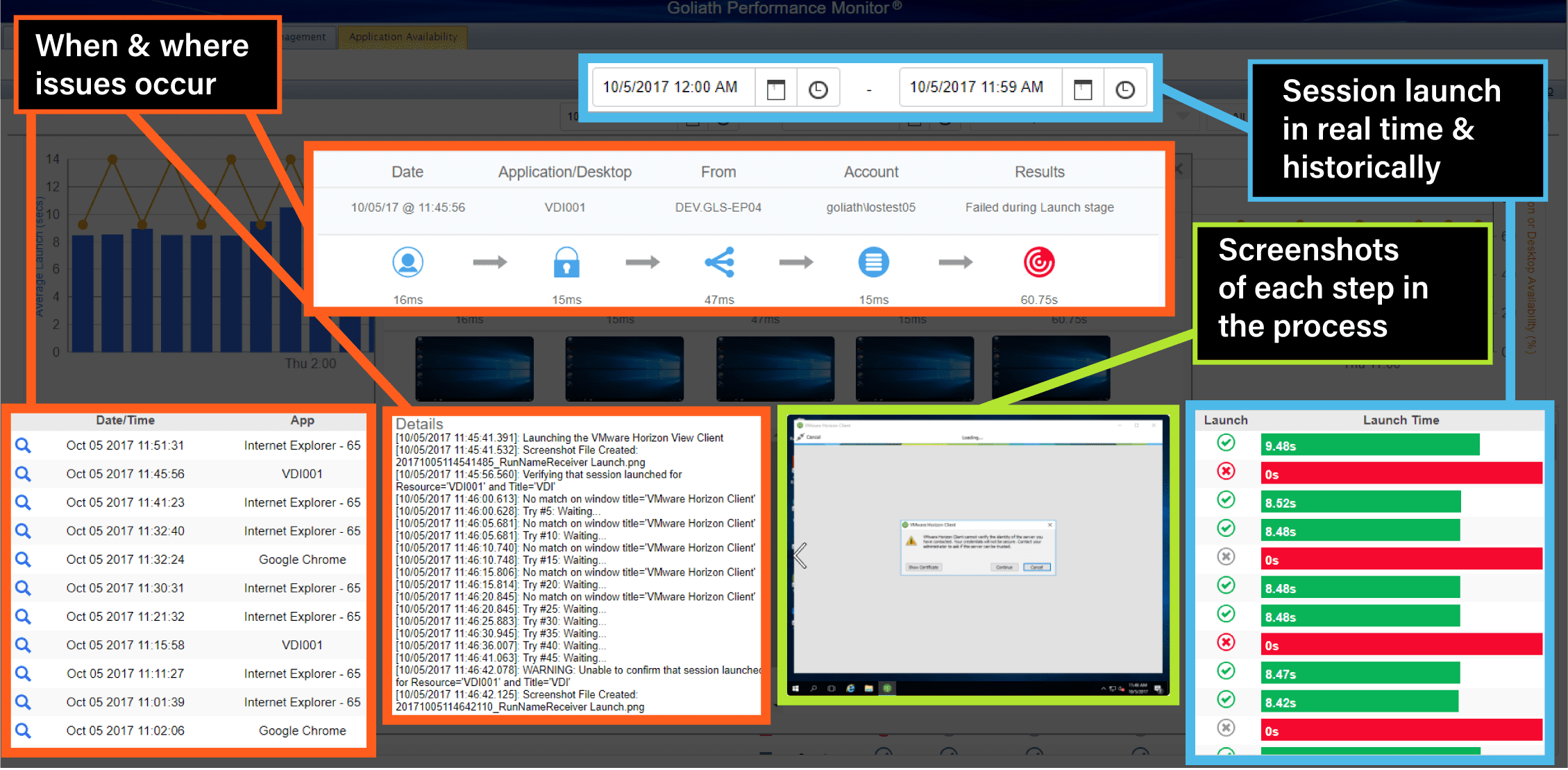
As a tool, GAAM alerts IT administrators of access and performance issues with business-critical applications before their end users ever attempt to logon by having the Goliath ‘system user’ attempt logons – which is actually modeled after one of your real users in terms of site, profile, and using the same steps, sites, and profiles as an actual user. From there, GAAM provides real-world data on what will happen when your end user tries to access his/her application or desktop. Logon issues reduce as you gain time and detailed metrics to proactively troubleshoot and practice towards future prevention.

2.) Can’t stress this enough – leverage tools that give you the most amount of flexibility: Cloud, On-Premises, and even Hybrid.

I have no doubt that you’ve got cloud on your mind. That said, GAAM can be deployed on-premises, in the cloud, site, or geographic location of your choosing. From there, you gain the ability to monitor user logon experience in real time with the Goliath Application Availability Monitor – regardless of your deployment model. Ultimately, this gives you immediate access to the right information allowing you to mitigate logon issues quickly to eliminate end user pain. All of this, while still leveraging cloud!

3.) Take the guessing game out of logon issues and session performance challenges.

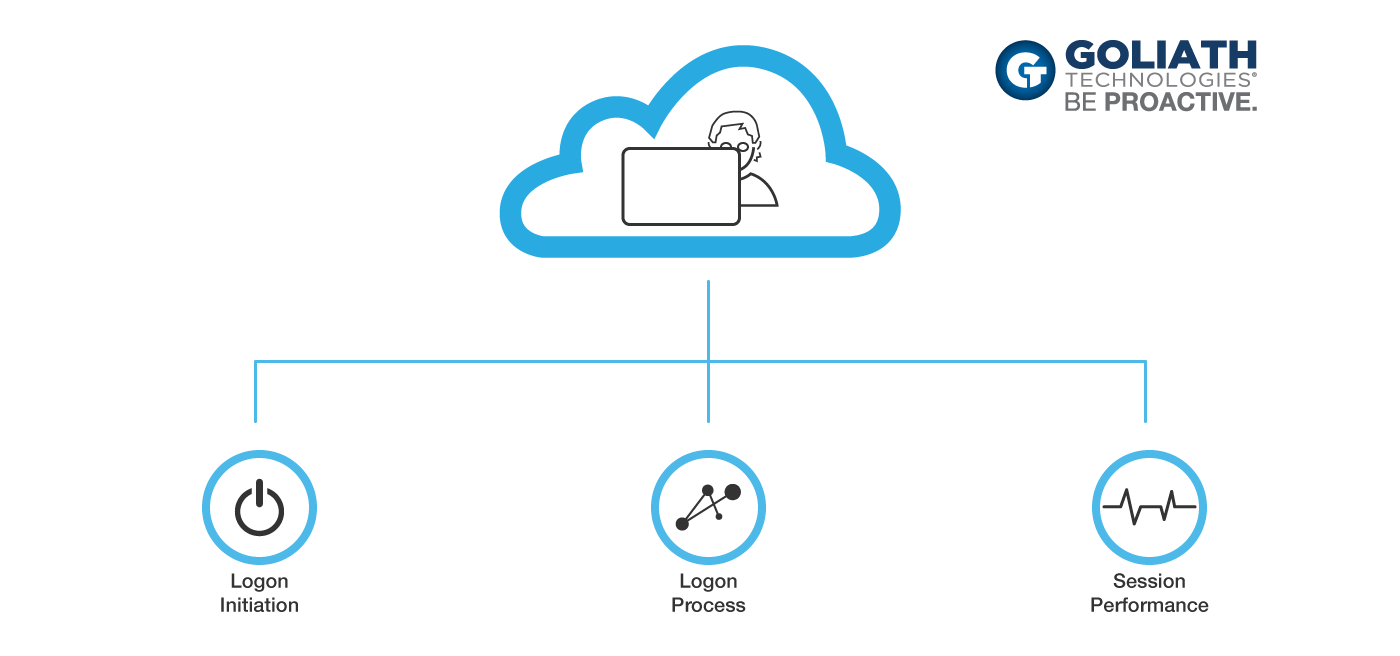
In my experience, the vast majority of challenges are noticed after a user logs in and starts complaining. But, what if you had a tool that could analyze each phase of the logon process and document it with a screenshot? Not only that, it can show where there was a failure! With each phase of the logon process GAAM attempts, a screenshot is taken to provide visual evidence and objective proof of logon success or logon failure. This allows you to see the potential impact that typically elusive items like disclaimers, secondary authentication, client-side errors, and multiple launch sequences may have on the results of the logon process.

Furthermore, administrators are able to quickly gain context to go along with full text logon sequencing results. As such, it’s much easier for IT to understand the intricacies of a particular logon issue without needing to: a) attempt to reproduce the problem manually, or b) wait for it to happen again.

Finally, you can leverage this solution by scheduling logon attempts to test out new applications, entire business units, or how users will interact with a new system. From there, you can setup alerts as well as screenshots to know exactly when and where there are issues with applications, backend systems, or the virtualization environment in general.

The user is one of the most important components of any technology architecture. The Goliath Application Availability Monitoring tool doesn’t only help you get to a resolution, it diagnoses the root cause of the issue. For any administrator, you’re taking the guessing game out of trying to figure out why there’s slowness and why you have upset users. This is your early warning system to make sure your environment stays healthy, proactively. That screenshot technology alone can help you save hours trying to figure out why certain user sessions simply don’t work well.

The Goliath Application Availability Monitor provides incredible value, especially at the price point. This is a subscription-based tool available at $3,500/year per location. That means, for about $300/month you have the equivalent of a full time Citrix Administrator proactively finding issues before your end users are impacted, finding true root cause, and freeing up your IT team for other projects. It’s a real win-win.

My biggest recommendation is to try these solutions out at the very least. Doing a demo or PoC isn’t challenging at all and can give you so much insight into your existing processes. I know a lot of administrators and solutions talk a ‘proactive’ game, however, technologies like the Goliath Application Availability Monitoring actually deliver. Be sure to try it out!
Diagnose Any Kind Of Problem In Your Virtualized Environment With Goliath Technologies!

Diagnose Any Kind Of Problem In Your Virtualized Environment With Goliath Technologies!

Diagnose Any Kind Of Problem In Your Virtualized Environment With Goliath Technologies!

Theresa Miller is a Healthcare IT Blogger and one of the few individuals in the world to hold the following three prestigious virtualization awards: Microsoft Most Valuable Professional (MVP), Citrix Technology Professional (CTP) and VMware vExpert. In this blog, Theresa describes a real-world example of a top 5 not-for-profit healthcare organization with over 1200 locations used Goliath Performance Monitor to troubleshoot and resolve a major incident impacting their MEDITECH users.

“It’s clear that this team needed the Goliath Performance Monitor to quickly identify and troubleshoot the issue with the scanners being used by the MEDITECH EMR application.  Without it, identification of this issue could have gone on for countless hours.  A huge win for any healthcare organization.“

Monitor and Troubleshoot Virtual Apps and Desktops on Cloud

Monitor and Troubleshoot Virtual Apps and Desktops on Cloud

Monitor and Troubleshoot Virtual Apps and Desktops on Different Clouds with the Goliath Performance Monitor

When you are running a production environment, such as Citrix Virtual Apps (XenApp) and Desktops (XenDesktop) and VMware Horizon – it is essential to know that your applications, and the Desktop environment is up and running at all times. As you are moving towards a digital workspace and leveraging different types of a cloud solution – a reliable and stable monitoring solution becomes critical. It becomes imperative that you can monitor your application responsiveness, collect statistics about usage, and create threshold-based alerts to notify you when thresholds are exceeded.

Furthermore, moving to a subscription and service-based model, phasing out on-premises infrastructure, or creating a hybrid cloud environment because some of the resources need to remain on site – can be difficult to manage during the transition. But when you’re finished building, it requires good, solid data to stay in control – no matter who’s updating or doing things behind the scenes…

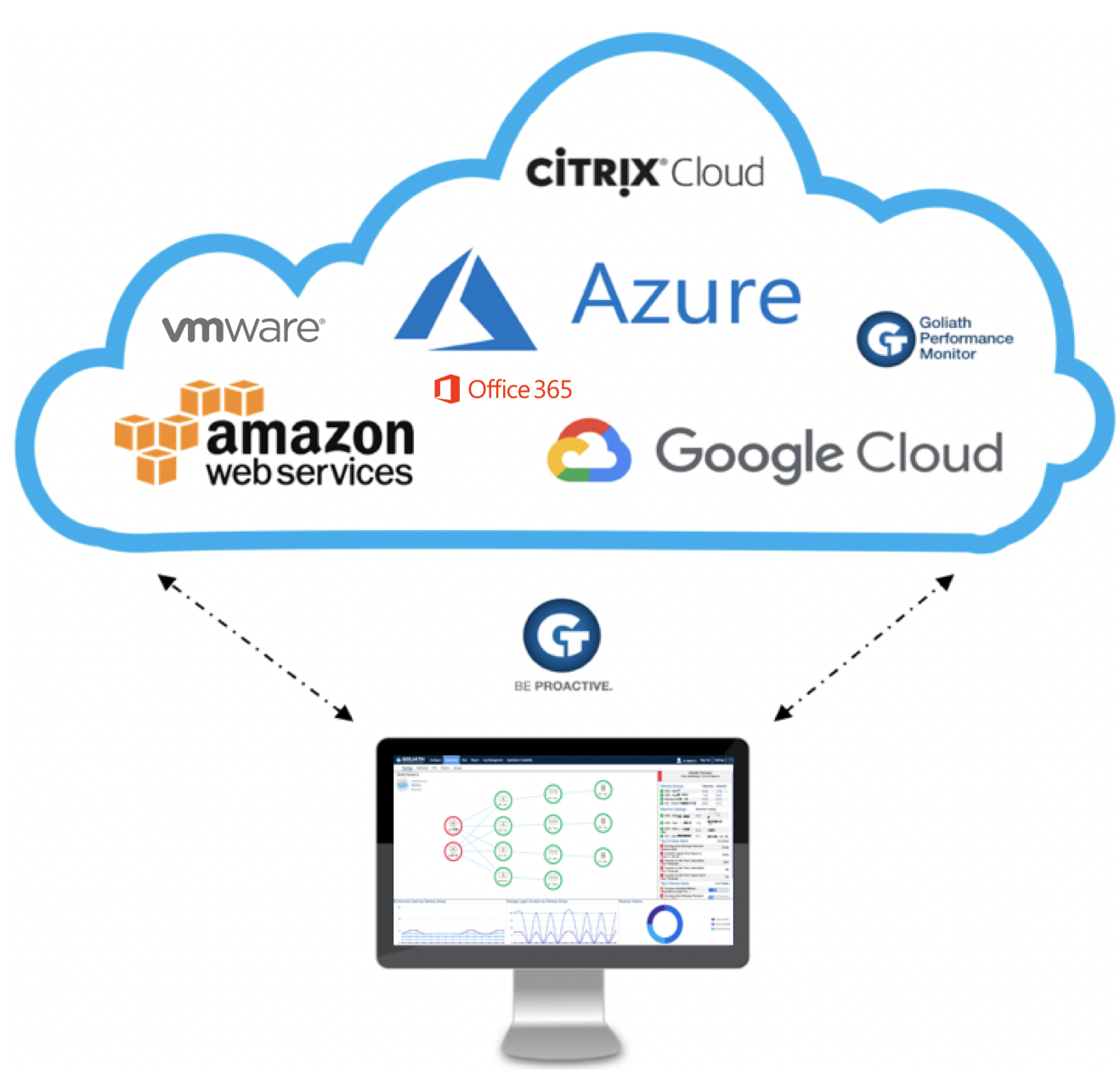
Whether you are using a Virtual Desktop on-premises and using the management plane, like Citrix Cloud or Horizon Cloud, or have it all running in Infrastructure-As-a-Service on Microsoft Azure – you don’t want to use all the separate consoles together to monitor the different solutions you are using. This is where the Goliath Performance Monitor can make a huge difference…

We cannot control the wind, but we can direct the sail.

Thomas Sheridan

An interesting quote which always reminds me of how far you can go with monitoring your Workspace and Cloud infrastructure environment…

Define the problem – Most Virtual Desktop customers are using their default monitoring solution, just for the simple reason it is free and included in the product. This solution gathers data insights that will be enough for most customers. But what is enough? That’s an excellent question. How cool would it be to have a monitoring solution that gathers so much information – that you usually only have to reference one set of metrics and already have an educated guess on the right direction to begin troubleshooting? I like this kind of approach because it saves me time to do some other cool stuff in my environment, around innovation, for example!

Citrix Virtual Apps & Desktops page sorted by the Logon column

In this article, I’ll explain how easy it is to deploy the Goliath Performance Monitoring software in Azure, Google Cloud, and AWS by using Citrix Cloud – VMware Horizon Cloud Workspaces, including the major benefits of the products when it comes to Cloud workloads.

Enjoy reading!

Monitor All of Your Cloud Environments in Real-time Through One Single Pane of Glass

You can deploy Performance Monitor on-premises or in the cloud to identify individual, site or geographic application availability issues. Placing the Goliath Agent in every Cloud Infrastructure-as-a-service (IaaS) environment you want to monitor creates excellent end-to-end visibility for your Monitoring dashboard. All of your resources will be visible in one single console, whether they exist in Azure, Amazon, Google Cloud and later, Citrix Cloud as well. Goliath is working on APIs which supported the monitoring of the Citrix Cloud Control Plane.

Session dialog – Logon Duration tab

Microsoft Azure Monitoring by Goliath monitors resource utilization at CPU, RAM, Memory levels and more to control costs and give you the real-time accounting of consumption.

Another requirement for the Azure DaaS provider was to have dashboard capabilities that allowed them to see the performance of workloads at a glance. Goliath Azure cloud desktop performance graphs and dashboards permitted them to do that on multiple levels, ranging from their DaaS desktops up through their Azure infrastructure.

This also allowed them to see, if an issue did sneak up on them throughout the gradual process of on-premises to cloud deployment transitioning, where the issue may have originated. They could make active correlations between end-user performance (with singularly located alerts, reports, and dashboards that provide direct end user session metrics) and data being pulled by the Goliath Performance Monitor’s complete visibility of the key performance indicators existing at a utilization level for Microsoft Azure. 

Session dialog – Logon Duration tab drill down

End User Computing and Digital Workspace Monitoring

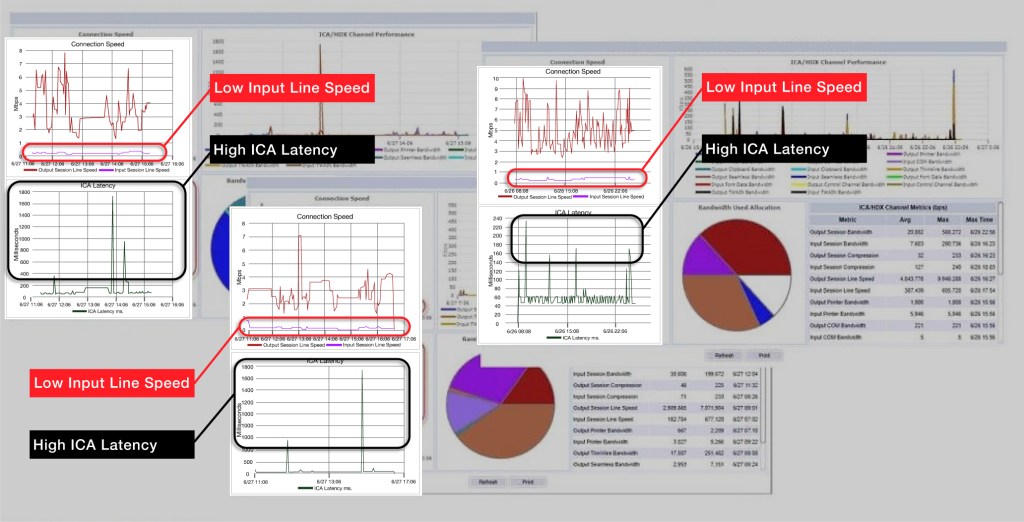
If a user’s Citrix ICA RTT is high, that allows us to quickly identify if there are enough resources for the application and user activity, or if the session host can deliver the responsiveness for the user to have a good experience. If the user is experiencing slowness and it does not manifest in Citrix ICA RTT, the problem is most likely lower in the stack in the host or storage architecture.

The following dashboard is part of the default template for Goliath Monitoring. It automatically detects your Citrix environment and places each resource into the logical procedure in the dashboard, such as the one below.

”Dashboard

Real-Time Alerting on Resource Consumption for Microsoft Azure

When hosting workloads in the cloud, the priorities are different. An example of this is resource utilization. When resources are on premises, we want to make sure that they are not constrained – which would result in poor end user experience. There are also physical limitations on resource availability and the business needs to know in advance when a capital investment needs to be made.

However, in the cloud, managing resource utilization is more about consumption and managing costs. This is because resources are almost unlimited, but are paid for based on usage. Goliath for Azure Monitoring allows the DaaS provider to dynamically assign policies to workload based on location and use-case in a single click. This means that they can assign rules based on need, as resources are relocated from the datacenter to the cloud. An example of this is below.

Snapshot Metrics

Analyzing the End User Session in Detail

Goliath is able to extend the capabilities and increase the amount of detail in regards to user session monitoring that you would normally see in Citrix Director.

Below is an overview dashboard of what a user’s session logon duration looks like.

  • The high-level breakdown of the logon duration for each of the logon stages
  • The breakdown of the logon as seen by the broker/controller
  • The logon details as seen by the session itself

With the ability to drill down into group policy information, you are able to view what their group policies were actually doing. If you use this approach when you begin troubleshooting, you are already well-positioned to start a proper root cause analysis because you begin with good indicators and assumptions.

Download a free demo of the product.

See for yourself – Goliath Monitoring – Impression Video

Click below to see what the Citrix dashboard integration of Goliath Technologies looks like. It is very simple to load and easy to manage.

Get a 30-day Free Trial of Goliath’s Proactive IT Operations Software

All of the proactive IT performance monitoring and management products featured in these independent reviews are available for you to try in your own environment. You can download a fully supported 30-day free trial today. Simply click below to access.

Ensure Good End User Experience With Proactive Monitoring

Ensure Good End User Experience With Proactive Monitoring

end user performance monitoring
 

As an IT pro, making sure that the end users have a good experience is one of the most important parts of the job. It’s so important in fact, that there are numerous tools available for monitoring the performance of end user sessions. In most cases, such monitoring tools work by examining a series of performance counters in an effort to quantify the end user experience. In reality, however, performance data and what the end users actually experience can be two very different things.

Because performance counter-based monitoring tools can give IT professionals a false sense of wellbeing, Goliath Technologies has designed its Application Availability Monitor to take a completely different approach to not only quantifying the end user experience but detecting issues before the users notice them.

One of the key advantages of Goliath’s solution is that while most application monitors perform real-time monitoring, Goliath’s Application Availability Monitor is designed to work proactively as an advanced warning system. To see why this distinction is so important, imagine for a moment that a problem has occurred overnight and that if left unchecked it will impact user logins in the morning. A system that is based solely on real-time monitoring will detect the problem at the same time that the end users do. Of course, that’s assuming that the monitoring system detects the problem at all. Performance counter-based monitoring solutions often have blind spots that they cannot monitor and may, therefore, overlook a serious problem.

Goliath Application Availability Monitor does things in a much different way. Rather than blindly examining various performance metrics, Application Availability Monitor synthetically reproduces the actual user login experience.  The “Goliath virtual user” logs on to your applications from your network endpoints, using exactly the same steps as a real user.

This synthetic logon process can be scheduled so that it runs automatically on any or all network endpoints. This is important for two reasons. First, if users are scheduled to arrive for work at 8:00, Application Availability Monitor can be configured to test the system well in advance of the user’s arrival, such as at 4:00. That way, if problems are detected, the IT department will have adequate time to address those problems before the users show up for work.

The other reason why the synthetic logon process is so important is that it occurs directly on the network endpoints. In contrast, many of the other monitoring solutions that are available run on a network server and focus on monitoring the Citrix infrastructure. Such a solution would typically not be able to detect a problem occurring at the endpoint where the user logs in.

One more thing that makes Application Availability Monitor different from competing solutions is the way in which it gathers diagnostic information. Rather than presenting the administrator with a cryptic message indicating that a threshold value has been exceeded, the software actually takes screen captures of the virtual user’s experience. IT pros can use these screen captures to address any problems that may be occurring and can easily forward the screen captures to vendors or external support providers if necessary. Similarly, MSPs may use the screen captures as a way of documenting the uptime or SLAs of their service to their customers.

How to Proactively Ensure End Users Always Have VDI Access

How to Proactively Ensure End Users Always Have VDI Access

It’s amazing to see just how far we’ve come in terms of connectivity and how we leverage digital resources. As standalone analog devices give way to connected digital devices, the latter will generate vast amounts of data that will, in turn, allow us the chance to refine and improve our systems and processes in previously unimagined ways. A recent IDC report pointed out that Big Data and metadata (data about data) will eventually touch nearly every aspect of our lives — with profound consequences. By 2025, an average connected person anywhere in the world will interact with connected devices nearly 4,800 times per day — basically one interaction every 18 seconds.

In the business world – this couldn’t be truer. So many workers are no longer bound by a ‘desk’ and can be classified as mobile employees working well outside of the traditional ‘9-5’ parameters. This means that end users need to have Citrix or VMware Horizon VDI access no matter where they are working. I know I certainly fall into that category. I also know that I interact with digital devices every single day and I generate vast amounts of data around my interaction with those devices. Through it all, it’s the data that I create around my experience that’s truly most valuable.

Real-World VDI Access Example

Let’s drill down this experience into some real-world situations. Here’s a portal I use to access some key desktops and apps:

I love launching my desktop (from pretty much any device) and having all of my resources readily available. However, in a world where ‘slow is the new down,’ it can get pretty frustrating when something isn’t working. Specifically, VDI connection issues and VDI problems can cause serious hang-ups and experience issues.

So, what do you do if you have hundreds, or even thousands of users accessing VDI instances? How do you quickly capture VDI connection issues? Sure, Citrix XenDesktop and VMware Horizon have great tools built-in. but what if you need a tool that proactively confirms the availability of any application that is accessed using desktop virtualization, regardless of the location of the applications or users? Remember, you don’t just want to solve a problem quickly, you need to find the root cause to prevent this type of issue from recurring.

How to Fix VDI Connection Issues

If there is a VDI connection issue or a problem with a virtual application, it’s critical to have the ability to monitor, report, and alert in detail around the issue root cause areas. Further, IT professionals need an end-to-end look at the entire virtual infrastructure, not just part of it. The Goliath Application Availability Monitor (GAAM) is a great example of this as it acts as an early warning system for IT managers and administrators; the key word here being EARLY warning. GAAM will tell you if there is a logon failure, network problems, or application enumeration issues. Again, the really cool part here is the proactive nature of this alert and monitoring system. For example, it can let you know that your Citrix or VMware Horizon could experience a serious bottleneck before a group of users log on by showing exact screenshots of the environment and the issue.

This tool accurately confirms the availability of any application that is accessed using desktop virtualization, regardless of the location of the applications themselves or the users. The other important point is that virtualization environments can be very different which is why GAAM doesn’t only focus on one architecture. It integrates to proactively monitor the availability of ANY application or desktop delivered over Citrix XenApp, Citrix XenDesktop, VMware Horizon, or Microsoft RDS.

With all of this in mind, we need to actually understand what it looks at. Specifically:

  • Connectivity (i.e. network speeds, latency)
  • Application/desktop availability
  • Configuration or availability problems with the delivery infrastructure, including Citrix NetScaler, web interface/storefront, delivery controllers, active directory, licensing servers, SQL databases, and much more
  • Licensing issues
  • Client-side errors (i.e. a message box error presented at the endpoint level, captured by Goliath’s screenshotting technology)

One of my biggest pet peeves really does revolve around VDI connection issues and slowness. This is why working with connectivity is one of the most important elements to test and validate. Let me point you to the ‘value of the millisecond.’ Research from TABB Group estimates that if a broker’s electronic trading platform is 5 milliseconds behind the competition, it could lose at least 1% of its flow; that’s $4 million in revenues per millisecond. Up to 10 milliseconds of latency could result in a 10% drop in revenues. From there it gets worse. If a broker is 100 milliseconds slower than the fastest broker, it may as well shut down its FIX engine and become a floor broker. In this case, latency is literally worth $4 million per millisecond. But what if you’re working with healthcare VDI? The value of a millisecond could now revolve around someone’s life.

In our persistently connected society, making sure that we have the best experience possible doesn’t just mean being able to access a simple resource. User experience and performance translates to productivity, happier employees, and IT staff providing value back to the business. Tools like Goliath Application Availability Monitor help diagnose root cause issues and quickly resolve VDI connection issues before they become major problems. The final key point is ease-of-use. You don’t have to be a script expert to deploy this type of tool. GAAM gives you the ability to leverage an easy-to-use, centrally managed tool when configuring synthetic launch sequences regardless of endpoint.

Your users are constantly on the move. This is why it’s so important to leverage good monitoring and performance tools within your virtualization infrastructure. Remember, these are the types of products that help you proactively troubleshoot an issue and even prevent it in the future. This keeps your end users online and able to access mission-critical applications, no matter where they are working from that day.

4 Cloud Monitoring Best Practices To Prevent End User Issues

4 Cloud Monitoring Best Practices To Prevent End User Issues

4 Cloud Monitoring Best Practices To Prevent End User Issues

I’ve seen so many new types of infrastructure technologies impact the performance of the modern data center. All-flash technologies help consolidate systems, virtualization helps to deliver powerful workloads to a variety of users, and even convergence has helped remove legacy from the data center. Most of all, these solutions are all coupled with the cloud to really help an organization become agile and much more efficient. Still, as our data centers change, so will the way we keep an eye on how everything operates. And, beyond the infrastructure components that we’re monitoring and even cloud monitoring best practices; there’s a key metric business and IT leaders focus on to ensure they’re doing everything right. That is end user experience. There are some cloud infrastructure monitoring best practices to keep in mind that we will get towards the end of this blog.

Before we go on, let me put this into perspective. Gartner recently pointed out that by 2021, 60% of IT monitoring investments will include a focus on business-relevant metrics, up from less than 20% in 2017. As a result, the IT monitoring efforts of infrastructure and operations (I&O) leaders should not start with collecting data from the infrastructure, but instead, should start with the business in mind. “Monitoring from the perspective of the business really means that enterprises should try to collect information that helps ascertain a business’ health,” said Will Cappelli, research vice president at Gartner. “Business performance is the only thing that really matters in terms of the goal of your IT monitoring activities.”And, who helps the business operate effectively? Users. And, with poor user experience, there’s just no way your business will be able to function properly.

You can have the best type of monitoring out there, but if you don’t focus on the end-user – it’ll all start to fall apart quickly. So, not only should you be implementing monitoring that’s coupled with application performance monitoring – you absolutely need to know how this is impacting your users. For example, can they log in faster? Are they experiencing delays in launching an application? Is there a difference in experience between cloud applications and ones that are on-premises? To that extent – it’s important to understand that the way we monitor our infrastructure and core applications today is truly evolving as well. With that in mind, organizations are looking for different types of tools that will help them create better cloud monitoring best practices, infrastructure controls, and even application monitoring.

Most of all, these solutions cannot be reactive. You’re trying to find the true root cause of an issue and be able to respond before it becomes a massive problem. This means having visibility into the entire infrastructure as well as you most core components. So, whether you’re in the cloud or working with on-premises data center solutions – anticipating, troubleshooting and preventing end user experience issues is absolutely critical.

What Cloud Monitoring Best Practices Should We Follow?

For cloud and data center resource-monitoring tools, what features should we look for? When looking at purchasing any sort of resource monitoring software, make sure it answers the following questions with these cloud infrastructure monitoring best practices:

  • How are user sessions being handled? In a cloud and virtualized environment, user sessions are becoming more complex. This also means there are more places where a service or process could get hung up. To address this, monitoring and troubleshooting tools require broad visibility to look across the entire infrastructure, and deep metrics to pinpoint the true root cause of the issue. From there, you can have proactive alerts keeping you informed and ensuring the user stays happy.
  • What are the logon durations for various resources? There are so many different things that can slow down the logon process. A hung script, a printer that doesn’t want to load, a pegged server, and so on. And, all of this will impact your users as well as their experience. However, the big question is this – how quickly can you catch the issue? The longer administrators spend digging through non-intuitive user interfaces the longer a user will have a poor experience. So, your end user experience tools must measure the 33+ detailed, granular stages of the logon process so you can get to the issue quickly and keep user performance optimal.
  • Are there session bottlenecks or slowness issues? Although real-time information is important, some of the leading monitoring tools will have predictive analytics helping you forecast challenges. This helps with downtime, provisioning, and keeping the environment agile. Most of all, you’ll be able to quickly see where users are experiencing bottlenecks! This can range from print servers all the way to virtualized resources like applications and desktops. Here’s an important point to understand, just because a user can ‘access’ an app, doesn’t mean it’s performing well. In our world, ‘slow is the new down.’ So, your monitoring tool must be able to support visibility into the real root cause of session slowness and performance challenges.
  • How is my resource utilization being tracked over a period of time? Predictive analytics help look at your usage and forecast your requirements in the near future. You’re not just looking for errors here – you’re also trying to improve your overall environment. Most of all, you’re trying to get to the root cause of a problem and not just get to a solution.

Within your own organization, the experience of your end users will play a critical role in your ability to consolidate, stay competitive, and improve your connection into the cloud. Most of all – it helps create a business model which can evolve very quickly. Goliath Technologies offers proactive, end-to-end IT performance monitoring for a variety of virtualization, data center, cloud, and even application solutions to ensure a positive end user experience. These solutions are designed from the ground up to help IT administrators anticipate end user experience issues, troubleshoot the root cause, and used embedded intelligence and automation to resolve issues quickly before end users complain. Plus, it helps give managers their nights and weekends back.